Connect with us:
Public Safety Communications Division (911)
Call-Taking Process
911 Tips
Remain calm and speak clearly
Advise on location and what is happening
Try to answer questions the best you can
Post your address and phone number by each phone
Know your cell phone number
House numbers should be visible from the street
Teach children how to use 911
911 is NOT for information. For non-emergencies such as, illegal firework complaints, reporting a blocked fire lane, malfunctioning fire alarm or a found pet, please call the non-emergency line 305.673.7901.
Call if you can, text if you cannot.
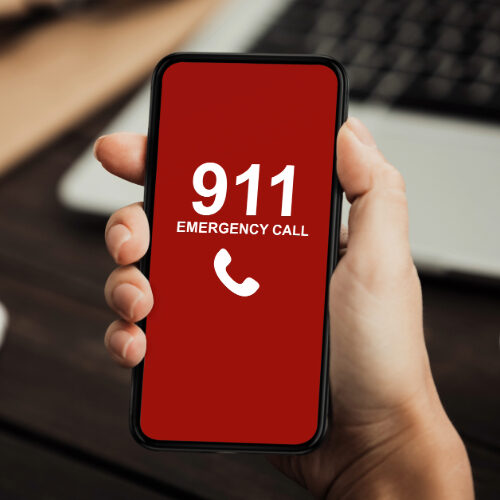
When should you text 9-1-1?
- You are deaf or hard of hearing
- You are unable to speak
- It is too dangerous for you to make a voice call
- You can't call 9-1-1 due to lack of cell reception. In one message, provide detailed information about your exact location and your emergency in case multiple messages are not possible.
Things to remember about text to 9-1-1
- Send the message to 911 with no spaces or dashes.
- Always provide your exact location and the nature of the emergency.
- Silence your phone if you are in a dangerous situation.
- Avoid using social media abbreviations, slang, or jargon.
- Do not send photos, videos, or emoticons/emojis.
- Do not send a group text.
FAQs
Text to 9-1-1 is the ability to send a text message (SMS) from your message-enabled mobile phone to your local 9-1-1 center. You must have a data plan that includes text messaging to utilize this service. Please note that texting 9-1-1 may take slightly longer than traditional voice calls due to the delay sending and receiving messages between the citizen and the emergency dispatcher.
Simply utilize the phone number 9-1-1 as the message recipient (no spaces or dashes). Provide the location of the emergency, the nature of the emergency, and quickly answer any questions the emergency dispatcher asks. Do not send photos, texts, emoticons/emojis, or any abbreviations.
Text to 9-1-1 is available to anyone that is Deaf or hard of hearing, unable to speak, or in a dangerous situation.
While it may seem more convenient to text 9-1-1 instead of calling, it is always better to call if it is a safe option and you are physically able to do so.
Currently Text to 9-1-1 is not available in all areas.
If you are in an area that does not accept text to 9-1-1 an automated message will notify you that your text was not received, and you will be instructed to make a voice call to 9-1-1.
In an emergency where you’re unsure of your exact location, our 911 dispatchers can now send you a link to What3Words — a tool that uses three unique words to pinpoint your location with GPS-level accuracy.
The app converts geographic coordinates into a 3-by-3 meter square, identified by three English words. Callers will be asked to read the words aloud in the order provided to help responders locate them quickly.
You don’t need to have the app installed, but it’s free to download on iOS and Android.
FAQs
What3words isn’t meant to replace street addresses, it’s designed to complement them. You’ll find it especially useful when street addresses are inaccurate, incomplete, or don’t exist at all.
Compared to traditional addressing systems, 3-word addresses are far more precise, as each one refers to a unique 3m x 3m square. Because the grid is fixed, the 3-word address for a spot never changes, even if streets or buildings are redeveloped.
Unlike street names, which can be duplicated or confusing, 3-word addresses are always unique and easier to share. They’re also faster and more cost-efficient since every 3-word address has already been assigned, making the system instantly scalable.
What3words is also the only addressing system optimized for voice, making it perfect for voice-enabled technology. With AutoSuggest, you get intelligent prompts based on your location, making it a truly user-friendly tool.
Yes. Without phone signal, the app still works the same as if you had no data connection: you can view the location of any 3-word address you enter and navigate to it using compass mode.
To share a 3-word address by text or call, you’ll need phone signal. To load maps or share through other apps and social media, you’ll need a data connection.
Google Maps is excellent for navigation, transit and finding places of interest. What3words does something different, it helps you communicate exact locations.
When you type a street address into Google Maps, the pin usually drops in the center of a building, not a specific entrance. With What3words, you can identify and share the exact 3m x 3m spot you want — like a side door, a park bench or a specific area on the beach.
This makes it especially valuable in places with no formal addresses, like open fields, parks or beaches. With What3words, you can easily find, share and talk about precise locations anywhere in the world.
If you’re unsure of your exact location, our 911 dispatcher can send you a link to What3Words. Once you click the link, you’ll receive three unique words that you then share with the dispatcher. These words act as precise geographic coordinates, which are sent to our emergency responders to locate you quickly.
If you are calling from any level above or below ground level, please make sure to also let the dispatcher know what floor you are on.
Executive Staff:
Digna Abello
Jorge Linares
Lazaro Guerra
Jennifer Hall-Jenkins
Locations
Main:
1100 Washington Av, 4th Floor,
Miami Beach, FL 33139
Office: 305.673.7900
Back-Up Site:
2310 Pine Tree Dr, 3rd Floor,
Miami Beach, Fl 33140
Office: 305.673.7901
Mission Statement: The Miami Beach Public Safety Communications Division is dedicated to providing vital support services to the Police and Fire Department. The main mission of the division is to promptly attend to all 9-1-1 calls, law enforcement, E.M.S., and firefighting requests in a courteous, professional and effective fashion.
© 2025 Copyright City of Miami Beach.